
The Hipobuy estimator discount tag and the struck figure
A small orange tag reading 25% sits under every price on the estimator. Here is where its text comes from, how far apart the two prices actually were, and what Hipobuy writes about shipping coupons.
The tag, word for word
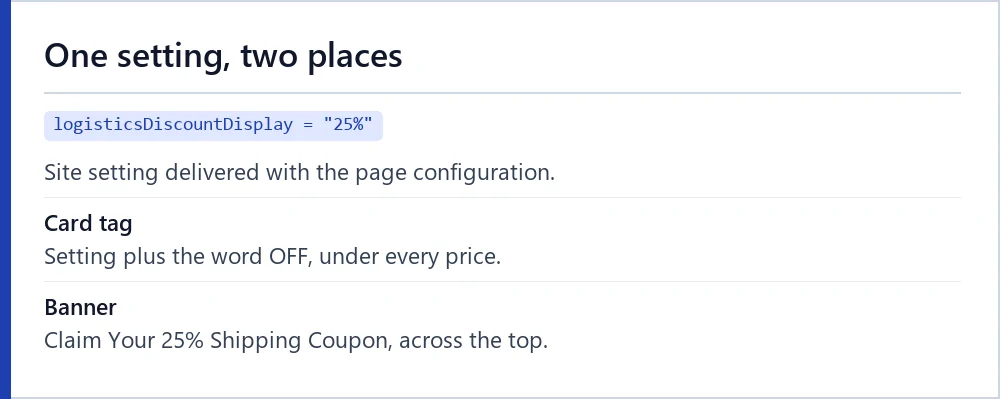
The tag reads “25%” followed by “OFF”. Its first half is a site-wide setting called logisticsDiscountDisplay, which held “25%” when our browser loaded the page on 16 October 2026. The page script appends OFF unless the setting already ends with it.
The same figure appears in the green banner across the top of the estimator: “Claim Your 25% Shipping Coupon”. The banner links to a coupon page; the tag on each card does not link anywhere.
Because the tag text is one setting for the whole site, it does not describe any particular line. Every one of the 90 lines in our snapshot carried the identical tag.
How far apart the two prices were
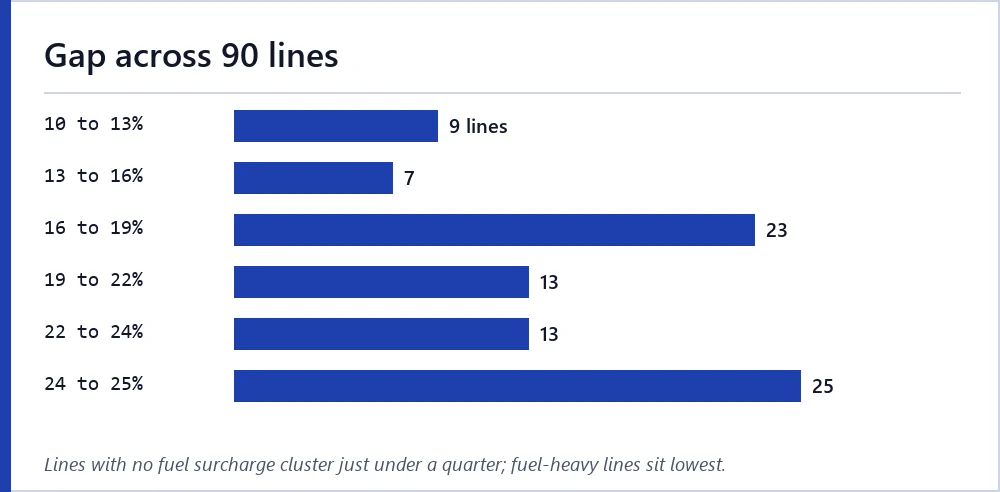
We measured the gap between the struck and the bold figure on all 90 lines, as a share of the struck figure. It ran from 10.3% to 24.8%, with a median of 20.0%. No line reached a quarter.
The pattern is tidy. All 25 lines with no fuel surcharge sat between 24.1% and 24.8%. The smallest gaps, 10.3% to 10.7%, were three DHL lines into Germany and Italy where fuel made up about half the total.
That fits the arithmetic on the previous page: on every line the bold figure equals the struck figure with a quarter taken off the dollar weight charge only, leaving fuel and operating cost whole. Hipobuy’s estimator page does not say which parts of the price the tag applies to.
Three ways the page can show a discount
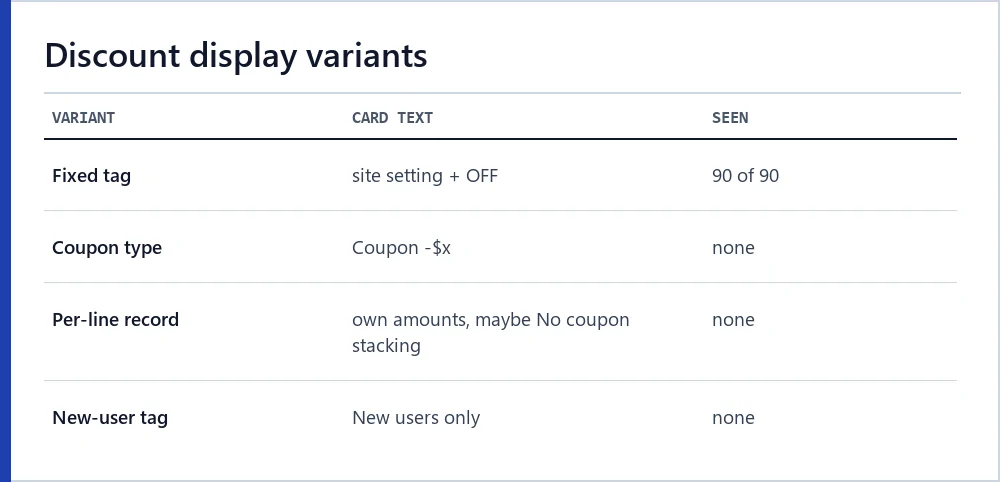
The page script is written to show a discount in three ways. The first is the one we saw: the site-wide tag under a bold and a struck figure, for lines whose discountType is FIXED_DISCOUNT.
The second replaces the tag with “Coupon -$x” when a line’s type is COUPON and a coupon amount is present. The third uses a per-line discount record with its own original and discounted amounts, and can add a note reading “No coupon stacking”. A separate tag, “New users only”, exists for lines flagged as new-user offers.
On 16 October 2026 none of the second, third or fourth variants appeared on any of the 90 lines. If you see one, note the date; it means the setup has changed since our reading.
Where Hipobuy says coupons are used
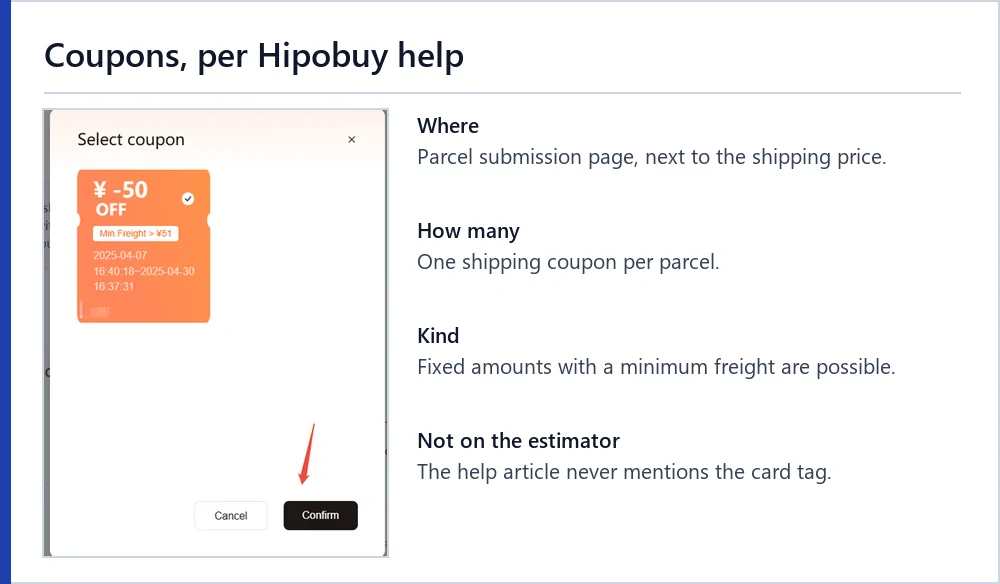
Hipobuy’s help article on shipping coupons places them on the parcel page, not on the estimator. You select items in the warehouse, create a parcel, pick a line, and a coupon appears next to the shipping price if you hold one. Only one shipping coupon can be used per parcel, and the fee is deducted when you select it.
The screenshot comes from that article and is dated April 2025: a coupon window offering a fixed amount off with a minimum freight condition. It shows that a coupon can be a fixed sum in yuan as well as a percentage. The amounts on it are the operator’s example values.
A second image in the same article shows the parcel page with a “Use coupon” button next to “total price to be paid”, and a note that a coupon can still be used at final payment when a parcel is pre-packed.
Open questions the tag leaves for support
Put together, the official pages leave these open:
- Whether the bold estimator figure assumes a coupon you still have to claim, or a discount every account receives.
- Whether a claimed 25% shipping coupon applies to the whole shipping fee or, like the card arithmetic, only to the weight charge.
- Whether the struck figure is ever charged, and to whom.
- Whether a coupon can be combined with the discount the bold figure already reflects.
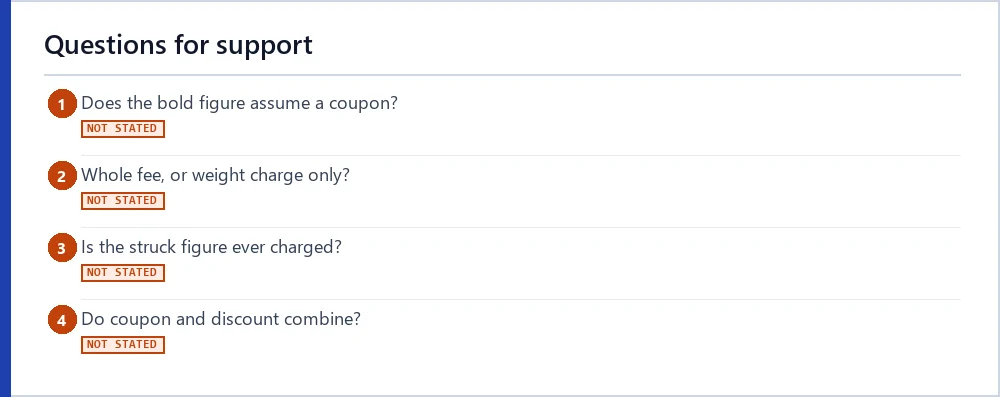
Each is a fair question for support. Ask with the line name and both prices, and keep the reply with your parcel records.
Promotions on the estimator page, dated
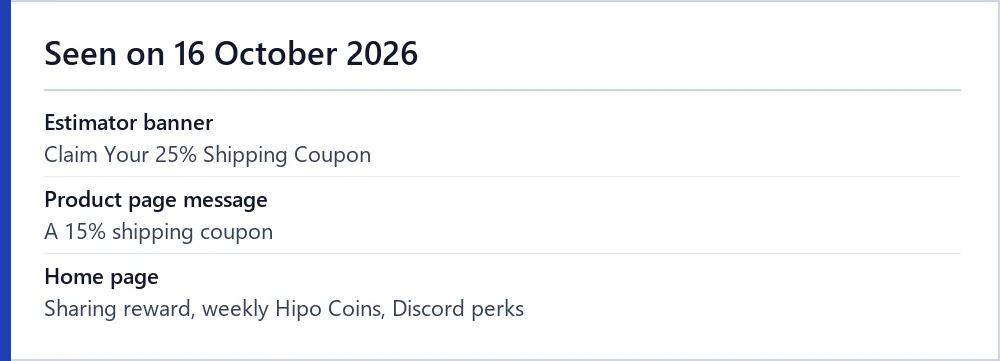
Promotions are the most perishable facts on this site. On 16 October 2026 the estimator banner offered the 25% shipping coupon; a product-page message offered a 15% shipping coupon; the home page advertised a sharing reward, weekly Hipo Coins and Discord perks. The last time-boxed campaign in the site configuration ended on 11 September 2026.
We will re-read these within a week of any edit and log changes on the quote log. New-user coupon contents sit behind a login, so we do not describe them.
Next steps
Ready to read a quote of your own? Run the estimator with your parcel, then put the two prices into the quote reader to label each figure.