
The Hipobuy price card, labelled part by part
What the estimator card prints for one line, in the order your eye meets it: name, tags, weighing note, the two prices, the tag between them, the time range and the Show More panel.
What you type and what the page sends
The form takes a destination, a weight in grams, and optionally a product type and three dimensions. Leave product type empty and the estimator assumes ordinary goods; lines that refuse ordinary goods simply do not come back.
When you press Inquire, the page sends one request with exactly those values, for example country US, weight 1000, length 30, width 20, height 10 and an empty product-type list. On 16 October 2026 that query returned 14 lines for the United States, 17 for the United Kingdom, 44 for Germany, 14 for Australia, 23 for Canada and 51 for Italy.
Not every returned line can carry the parcel. Cards that cannot are still drawn, greyed, with a reason at the bottom. More on those further down.
Because the form has no field for the item price, nothing on a card depends on what you paid for the goods. Everything on it follows from weight, size, destination and product type.
Product type opens a two-level menu of goods: clothing, shoes, bags, daily necessities, electronics and more, each split into ordinary goods, branded goods, goods with a built-in battery or magnet, liquids and so on. Picking one sends its code with the query, and lines that refuse that code come back greyed with a reason.
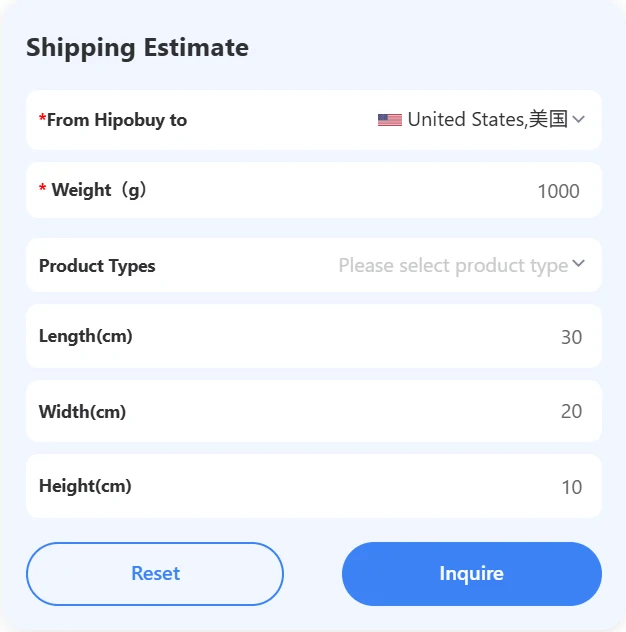
Dimensions matter even when you think of your parcel as light. On lines that charge the higher of actual and volumetric weight, a soft but large parcel can be priced above its scale weight, so a realistic box gives a more useful card.
Name, tags and the weighing note
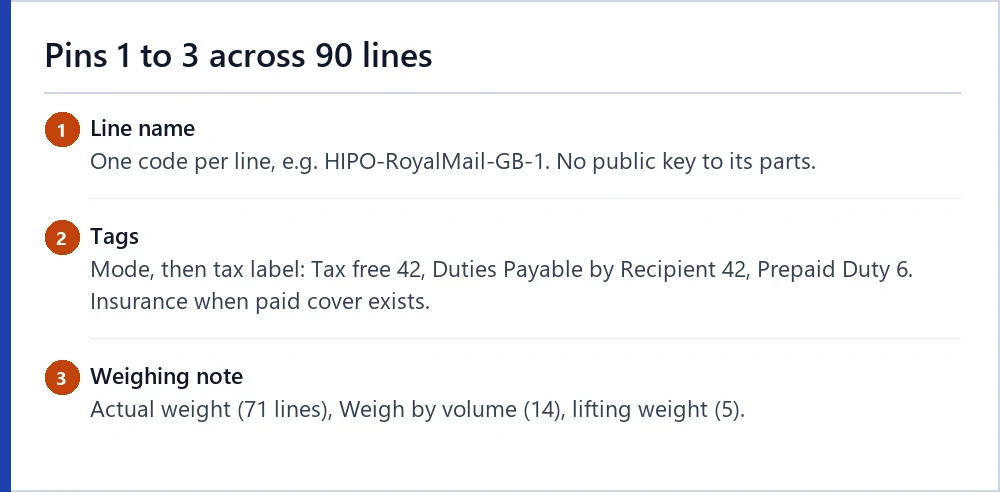
Pin 1 is the line name, such as US AIR USPS-ZF1 or HIPO-RoyalMail-GB-1. It packs a carrier, a service and a destination into one code; what each fragment means is mostly undocumented, and we leave decoding to people who specialise in it.
Pin 2 is a strip of tags. The first is the transport mode (Air, Land or both). The second is a tax label: on our 90 lines, 42 said Tax free, 42 said Duties Payable by Recipient and 6 said Prepaid Duty. The third, Insurance, appears when paid protection can be added to that line; Triangular appears on a few lines and is not explained.
Pin 3 is a one-line weighing note. Three wordings occur: “Weighing is based on the actual weight of the goods”, “Weigh by volume” and, on five lines, “Weighing weight refers to the lifting weight”.
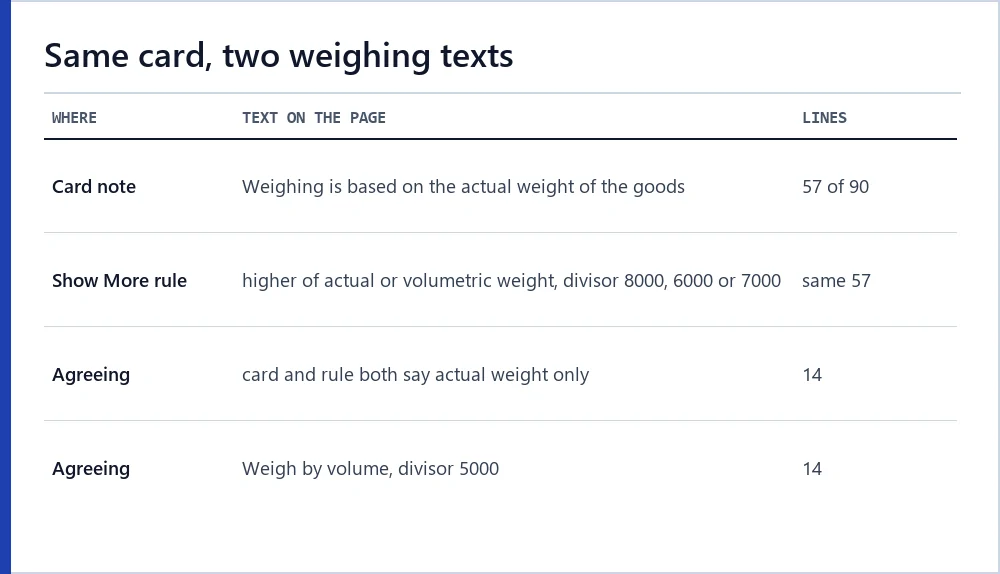
Two weighing texts on one card
Here is the first contradiction a careful reader can spot without logging in. On 57 of the 90 lines, the weighing note on the card says the charge follows actual weight, while the Show More panel of the same card says the charge is the higher of actual and volumetric weight, with a divisor of 8000, 6000 or 7000.
HIPO-RoyalMail-GB-1 is one of them. Its card says “Weighing is based on the actual weight of the goods”; its Show More panel says the volumetric weight is length × width × height divided by 8000 and the higher figure is charged.
Hipobuy does not say which of the two texts governs. For a light, compact parcel it makes no difference; for a large soft parcel it can. Enter real dimensions on the form and read the Show More rule before you rely on the card note.
The bold price and the struck price
Pins 4 and 6 are the two prices. The bold one, in large blue type, is what most readers take as the price of the line. The grey one has a line drawn through it and sits to the right.
The page’s own script decides what fills each slot. The bold slot shows the field estTotalExpressCostDiscount; the struck slot shows estTotalExpressCost, and only when the two values differ. If a line ever carried its own discount record, the script would show that record’s original and discounted amounts instead. None of the 90 lines did.
We compared every card our browser drew with the response it received: all 90 bold figures and all 90 struck figures matched those two fields to the cent.
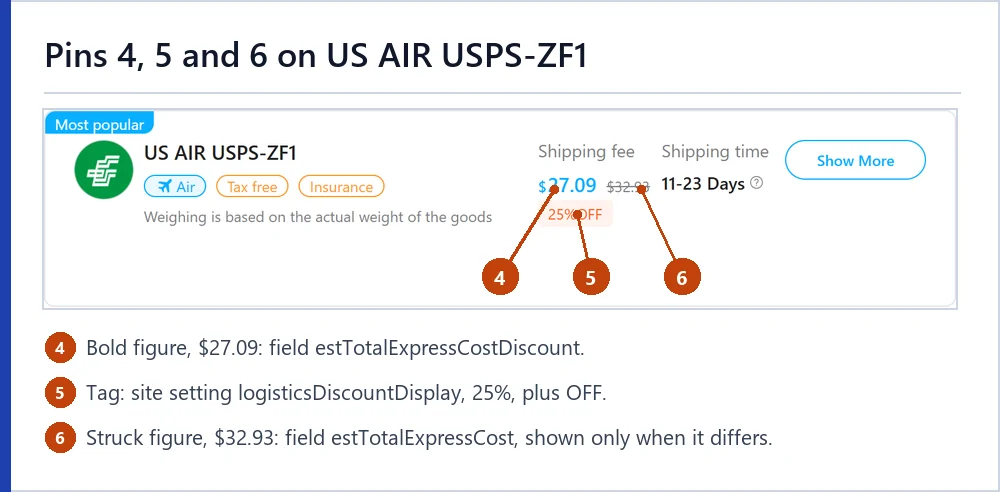
On US AIR USPS-ZF1 the pair is $27.09 and $32.93. On HIPO-RoyalMail-GB-1 it is $18.19 and $22.28. The gap differs from line to line, between 10.3% and 24.8% of the struck figure.
estTotalExpressCostDiscountestTotalExpressCost, equal to totalFeeCurrThe tag between the prices
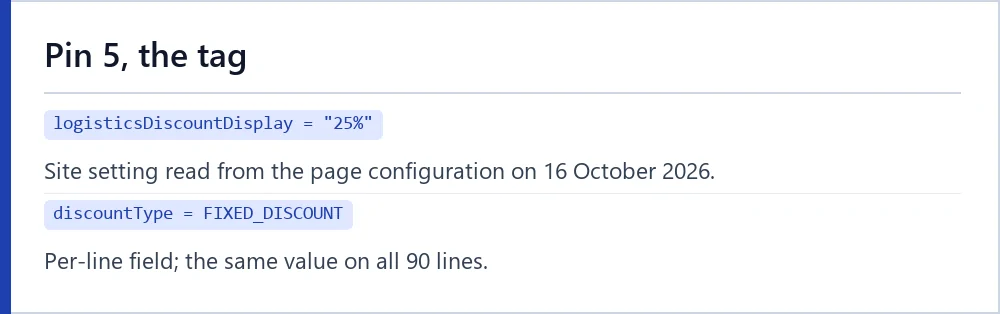
Pin 5 is a small orange tag under the prices. Its text comes from a site setting whose value on 16 October 2026 was “25%”; the page adds the word OFF after it. Every one of the 90 lines carried the same tag.
The tag sits under the bold figure, but the bold figure is not 25% below the struck one on any line we checked. The discount tag page sets out the numbers and what Hipobuy says about shipping coupons.
Shipping time and its disclaimer
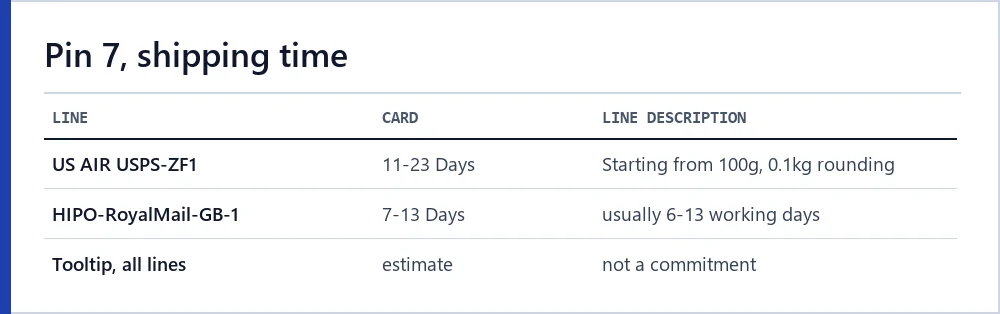
Pin 7 shows a range such as 11-23 Days. The data marks those days as working days; the card prints only “Days”. A small icon opens a tooltip that begins: “The stated delivery timeframe is an estimate and not a commitment.”
The range on the card and the range in the line’s own description do not always agree. HIPO-RoyalMail-GB-1 shows 7-13 Days on the card, while its Show More description says the transport time is “usually 6-13 working days”.
Treat the range as a rough guide that Hipobuy itself declines to promise.
Inside Show More
Pin 8, Show More, opens three blocks. Package restrictions give the minimum and maximum weight and the size limit. A product-type grid marks which kinds of goods the line accepts. Freight Basis gives four dollar figures: First Weight, Additional Weight, Fuel Surcharge and Operating Cost.
On HIPO-RoyalMail-GB-1, Freight Basis read 1.64USD/100g for both weight figures, 4.16USD for fuel and 1.74USD for operating cost. Each of those equals the second, one-and-a-half-times set of yuan figures converted at 0.1733.
Two small inconsistencies sit in this panel. On five lines the maximum weight in Show More differs from the maximum in the list response, and the panel’s line description is free text written by the line provider, with its own time range and conditions.
Freight Basis is the only place on the page where the per-parcel figures appear on their own. Fuel and Operating Cost do not grow with weight, so on a light parcel they make up a large share of the bold figure; on HIPO-RoyalMail-GB-1 they came to $5.90 of $18.19.
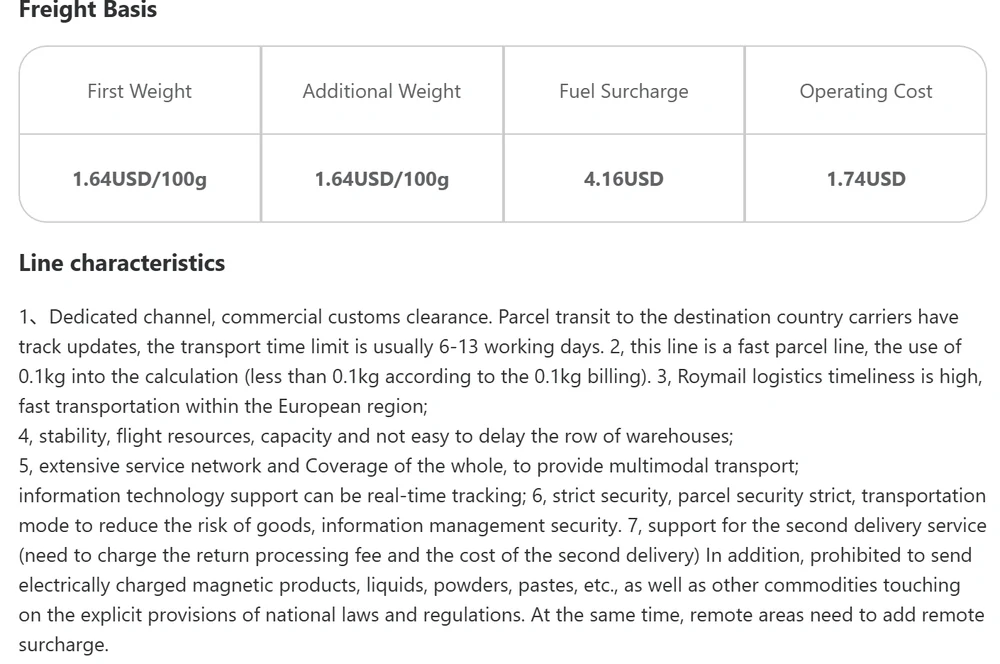
Line characteristics, the last block, is worth reading in full for anything that sounds like a condition. Remote-area surcharges, second-delivery fees and goods the line refuses are often written there and nowhere else on the card.
Grey cards and their zero prices
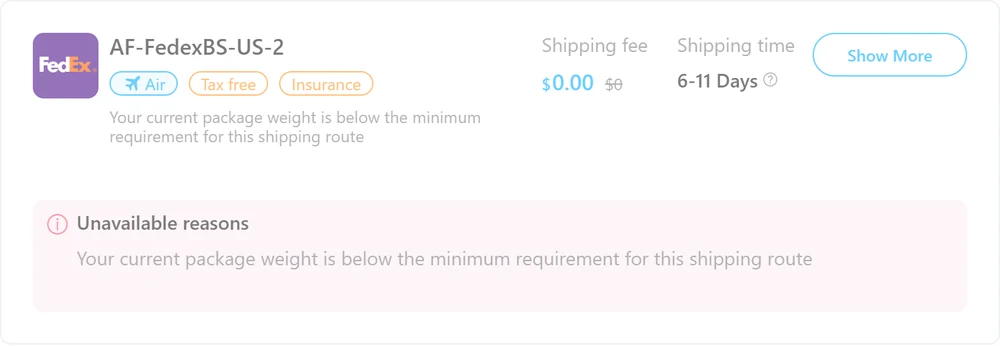
Cards that cannot carry your parcel are drawn in grey with a pink box headed “Unavailable reasons”. Their price slots read $0.00 and $0. Those zeros are placeholders, not free shipping.
For our 1,000 g parcel, 73 lines were turned away because the parcel was below their minimum weight and one because it was above the maximum. Germany and Italy had the most, 29 each; the United Kingdom only one.
If a line you liked is greyed, try the weight of your whole planned parcel rather than a single item.
A thirty-second card routine
A quick routine that uses only what the page shows:
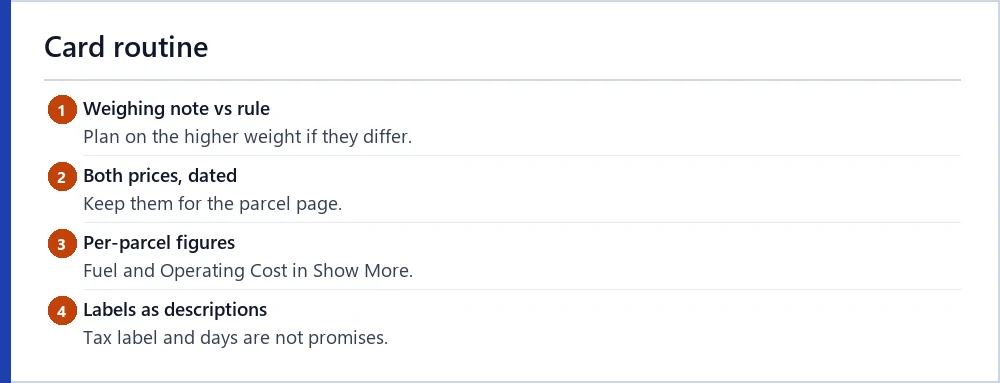
- Read the weighing note, then open Show More and read the weight rule. If they disagree, plan on the higher weight.
- Write down both prices, bold and struck, with the date. They are the two figures you can later compare with the parcel page.
- Check Operating Cost and Fuel Surcharge in Show More; they are per parcel and do not shrink with a lighter box.
- Read the tax label and the time range as the operator’s description, not a promise.
Then take the two prices to the quote reader if you want them labelled.
Next steps
Ready to read a quote of your own? Run the estimator with your parcel, then put the two prices into the quote reader to label each figure.